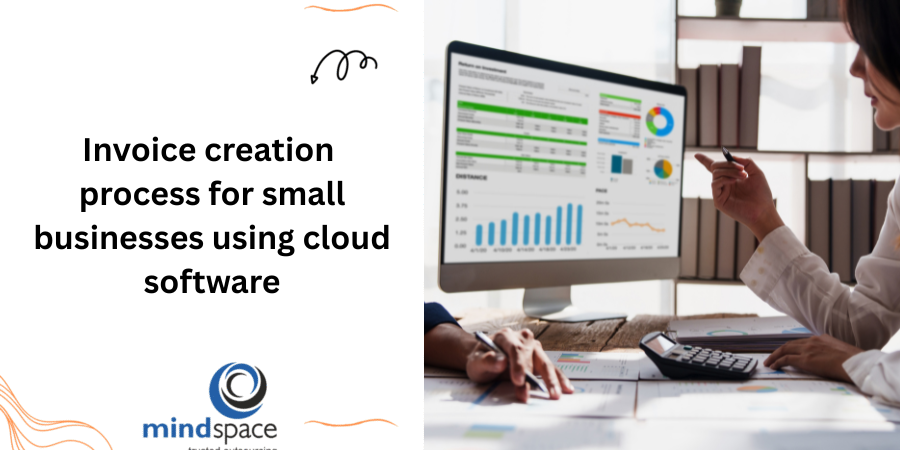
Invoice Creation Process for Small Businesses Using Cloud Software
| Quick Answer
Cloud accounting software automates the entire invoice creation process for small businesses—from setting up client profiles and adding line items to calculating taxes and sending payment reminders. Instead of manual spreadsheets, business owners use ready-made cloud accounting invoice templates to create professional invoices in minutes, track payments in real time, and reduce late payments through automated follow-ups. |
Why Small Business Owners Are Moving Invoicing to the Cloud?
If you’re still building invoices in Word or Excel, you already know the drill: copy last month’s file, update the date, double-check the totals, hope you didn’t forget the tax line, save it, attach it, and then mentally note to follow up in two weeks. Multiply that across a dozen clients a month, and invoicing quietly eats hours that should be going into running your business.
This is exactly the gap that automated invoice software for small business is built to close. Cloud-based platforms such as QuickBooks Online, Xero, Zoho Invoice, and Wave bring your invoice templates, client records, payment history, and reminders together in one secure system you can access from anywhere—your laptop, tablet, or phone.
The result is simple: invoices go out faster, look more professional, contain fewer errors, and get paid sooner—without you having to chase every client personally.
If invoicing is just one part of a much larger bookkeeping workload, it usually makes sense to handle it as part of a complete system rather than in isolation. Mindspace’s accounting and bookkeeping services cover everything from invoice creation to expense posting and monthly reconciliation, so your books stay accurate without extra effort on your end.
The Step-by-Step Invoice Creation Process Using Cloud Software
Whether you’re using QuickBooks Online, Xero, Zoho Invoice, or FreshBooks, the underlying workflow for creating and sending an invoice follows the same logical sequence. Here’s exactly how it works, step by step.
Step 1: Set Up Your Cloud Invoicing Platform
Before you create your first invoice, configure these one-time settings:
- Business name, logo, registered address, and contact details
- Tax registration number (EIN, VAT, or GST as applicable to your region)
- Default currency, invoice numbering format, and invoice prefix
- Connected bank account and payment gateway details
This one-time cloud invoicing platform setup lays the foundation for every invoice you’ll ever send—get it right once, and it auto-populates on every future invoice automatically.
If you’re moving from a desktop tool like QuickBooks Desktop or Sage 50 to a cloud platform, Mindspace’s accounting software migration service handles the data transfer, chart-of-accounts mapping, and historical invoice records, so nothing gets lost in the switch.
Step 2: Create a Detailed Client Profile
Each client profile should capture:
- Business or individual name and billing address
- Email address for invoice delivery (and CC contacts, if needed)
- Custom payment terms for that specific client (some negotiate Net 45 instead of your standard Net 30)
- Billing currency, if you work with international clients
Once a client profile is saved, you never type the same details twice—select the client, and the platform pulls in their information automatically on every new invoice.
Step 3: Add Line Items for Products or Services
Each line item should include:
- A clear description of the product or service provided
- Quantity and unit price (or hours worked × hourly rate for service businesses)
- Line total, calculated automatically
- A link to the correct account in your chart of accounts, for accurate income categorisation
E-commerce businesses generating dozens (or hundreds) of invoices across multiple marketplaces face a unique version of this challenge. Mindspace’s accounting for e-commerce services help sync order and invoice data from platforms like Shopify, Amazon, and Etsy directly into your books—eliminating manual entry altogether.
Step 4: Let the Software Apply Automated Tax Calculations
Cloud accounting software automatically calculates sales tax, VAT, or GST based on the client’s location and your tax settings. For businesses selling across multiple US states or countries, multi-jurisdiction tax rules are applied without any manual lookup.
This single feature eliminates one of the most common—and most costly—manual invoicing errors small businesses make.
Step 5: Set Clear Payment Terms and Due Dates
Decide on, and apply, standard terms across your invoices:
- Due on Receipt, Net 15, Net 30, or Net 60, depending on your cash flow needs
- A late payment fee clause (for example, 1.5% per month on overdue balances)
- Accepted payment methods, listed clearly on the invoice itself
Step 6: Apply a Professional Cloud Accounting Invoice Template
Choose or customise a template with your logo, brand colours, and consistent layout. A cloud accounting invoice template that looks polished signals professionalism and reduces the “is this invoice legitimate?” hesitation that slows down payments.
Save the customised version as your default template, so every future invoice is automatically branded—no need to reformat each time.
Step 7: Connect a Secure Online Payment Gateway
Add a “Pay Now” button linked to Stripe, PayPal, Razorpay, or your platform’s built-in payment processor. Clients who can pay with a single click are significantly more likely to pay on time, and online payments auto-reconcile in your accounting software—saving you manual matching work later.
Step 8: Preview, Review, and Send the Invoice
- Preview exactly what the client will see before it goes out
- Double-check line items, totals, tax, and payment terms
- Send directly from the platform via email, with delivery and “viewed” tracking
Step 9: Set Up Automated Payment Reminders
Schedule a reminder sequence so follow-ups happen without you lifting a finger:
- A friendly reminder 2–3 days before the due date
- A reminder on the due date itself
- Escalating reminders at 7 and 14 days overdue
This is the core of how cloud software helps you automate your client billing process—consistent, professional follow-ups that don’t feel like you’re personally chasing anyone.
Step 10: Track Invoice Status and Reconcile Payments
Real-time dashboards show every invoice as Draft, Sent, Viewed, Partially Paid, Paid, or Overdue. Payments received through connected gateways or bank feeds match automatically to the correct invoice—no manual spreadsheet cross-checking required.
For businesses issuing a high volume of invoices, keeping this reconciliation accurate every month takes dedicated attention. Mindspace’s accounts payable and accounts receivable management ensures every invoice is tracked, matched, and reported correctly—without it becoming a part-time job for you.
Core Features Checklist: What Every Cloud Accounting Invoice Template Must Have
Before you finalise your default invoice template, make sure it includes the following elements:
| Essential Element | Why It Matters |
| Professional header & branding | Logo, business name, and contact details build trust and brand recall |
| Unique invoice number & issue date | Required for bookkeeping, tax filing, and avoiding duplicate payments |
| Complete client billing details | Ensures the invoice reaches the right person or department without delay |
| Itemised line-item breakdown | Gives clients full transparency on exactly what they’re paying for |
| Automated tax calculation (VAT/GST/Sales Tax) | Removes manual errors and keeps every invoice compliant |
| Clear payment terms & due date | Sets expectations upfront and supports late-fee enforcement |
| Multiple secure payment options | Faster payments through one-click online payment links |
| Notes / terms & conditions section | Covers refund policy, late fees, and other contractual details |
| Automated reminder triggers | Reduces overdue invoices without manual follow-up emails |
How to Automate Your Client Billing Process and Reduce Late Payments
Chasing payments is one of the most draining parts of running a small business—and one of the easiest to fix. Here’s how to automate your client billing process end to end:
- Set up recurring invoices for retainer clients, subscriptions, or repeat service contracts—the system generates and sends them automatically on schedule
- Enable automated reminder sequences before, on, and after the due date, so follow-ups happen consistently
- Apply automatic late fees once an invoice crosses its due date, calculated as a flat amount or percentage
- Connect online payment gateways so clients can pay instantly, directly from the invoice
- Sync with your bank feed so incoming payments are matched to invoices automatically, without manual entry
Businesses with frequent, high-volume billing cycles—such as restaurants managing daily supplier invoices and recurring vendor payments—see the biggest time savings from this kind of automation. Mindspace’s accounting services for bars and restaurants team can help configure recurring billing workflows tailored to hospitality operations.
The combined effect of these automations: fewer overdue invoices, healthier cash flow, and hours of admin time returned to you every single month.
Best Small Business Invoice Software: What to Look For
When evaluating the best small business invoice software for your business, prioritise these factors over flashy extras:
- Ease of use – a short learning curve so you (or your team) can start invoicing immediately
- Recurring invoicing & automation – built-in support for repeat billing and reminder sequences
- Multi-currency support – essential if you bill clients in the US, UK, Canada, Australia, or UAE
- Regional tax compliance – automatic sales tax, VAT, or GST handling for your jurisdiction
- Bank & payment gateway integration – for faster reconciliation and one-click payments
- Scalable pricing – plans that grow with your invoice volume and client base
- Mobile access – the ability to create and send invoices on the go
Platforms such as QuickBooks Online, Xero, Zoho Invoice, FreshBooks, and Wave are widely used by small businesses for exactly these reasons—each offers cloud invoicing, recurring billing, and payment integrations, though pricing and feature depth vary by plan.
Common Invoice Mistakes Small Businesses Make (and How Cloud Software Fixes Them)
| Common Mistake | How Cloud Software Fixes It |
| Missing or duplicate invoice numbers | Sequential auto-numbering applied to every invoice |
| No clear due date or payment terms | Standard terms applied automatically by default |
| Manual tax calculation errors | Tax rates applied automatically based on client location |
| Forgetting to follow up on overdue invoices | Scheduled, automated reminder sequences |
| Inconsistent branding across invoices | Saved, reusable templates with locked branding |
| No record of what was sent, or when | Built-in send, delivery, and ‘viewed’ tracking |
Final Thoughts: Make Invoicing One Less Thing to Worry About
A well-structured invoice creation process—built on a cloud platform, supported by a professional template, and backed by automation—can be the difference between cash flow that works for you and cash flow that constantly works against you. Set up your platform once, build your template once, and let automation handle the rest.
If you’d rather hand off invoicing, reconciliation, and reporting entirely, Mindspace’s accounting and bookkeeping team can set up and manage your cloud invoicing system end-to-end—so you can focus on running your business.
Frequently Asked Questions
Can cloud invoicing software handle recurring invoices automatically?
Yes. Most cloud accounting platforms let you create a recurring invoice profile—define the client, line items, frequency (weekly, monthly, or quarterly), and an end date once. The software then generates and sends the invoice automatically on schedule, with no manual repetition required.
How do I add late payment fees to an invoice?
Most cloud invoicing tools let you configure a late fee rule—either a flat amount or a percentage of the outstanding balance—that is applied automatically once an invoice passes its due date. This fee can then appear on the next reminder or statement sent to the client.
Are online payment gateways in cloud invoicing software secure?
Reputable cloud accounting platforms integrate with PCI-DSS-compliant payment processors such as Stripe, PayPal, and Razorpay. Your business never stores raw card details—the payment gateway handles encryption and compliance, while your software simply receives confirmation that payment was made.
Do I need accounting knowledge to use cloud invoicing software?
No. Modern cloud invoicing platforms are designed for non-accountants, with guided templates, default tax settings, and automatic calculations. That said, having a bookkeeper periodically review your invoice records, tax settings, and reconciliation helps ensure accuracy as your business grows.